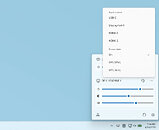
Microsoft PowerToys is an oft-recommended utility that makes Windows 11 much more user-friendly by adding new features and UI tweaks to Microsoft's desktop OS. In an update not too long ago, PowerToys got a nifty dock, and before that a Command Palette, just like KDE's Krunner and macOS's Spotlight. Now, in an April update, version 0.99, Power Toys is getting a handful of new features that make Windows a little more like Linux and macOS. The first notable feature is Grab and Move, which allows you to hold Alt and left click to grab and move a window without having to aim for the border. Holding Alt and right click lets you resize a window from the nearest edge. If you're not familiar with Linux, this is exactly how most Linux desktop environments, like KDE Plasma and Gnome, work, except they generally use the System or Windows key as a modifier. The other new addition to PowerToys 0.99 is Power Display, which allows you to change external display settings, like the source, power state, brightness, and contrast, from a taskbar fly-out menu. Users can also create specific display profiles that can be displayed and selected from the task bar menu. There are also minor changes to the keyboard layout editor, which now has support for selecting keys that are not physically available on your keyboard when setting up shortcuts and chords. The Command Palette also now features a compact dock option for those with limited screen space, and it has received several new features, including persistent calculator history and options for how applets pin to the dock and how the dock interacts with windows—you can choose to keep the dock above all windows, and there is a new dialogue to choose where apps pin to the dock.